 GroundSketch
Every ride leaves a line.
GroundSketch records where you skate, ride, walk or run, and turns the route into a risograph-style print. No map, no feed, no account.
Made for every way you move: walking, running, skateboard, inline skates and bike.

Free. GroundSketch Pro is an optional one-time purchase.
From a ride to a print
-
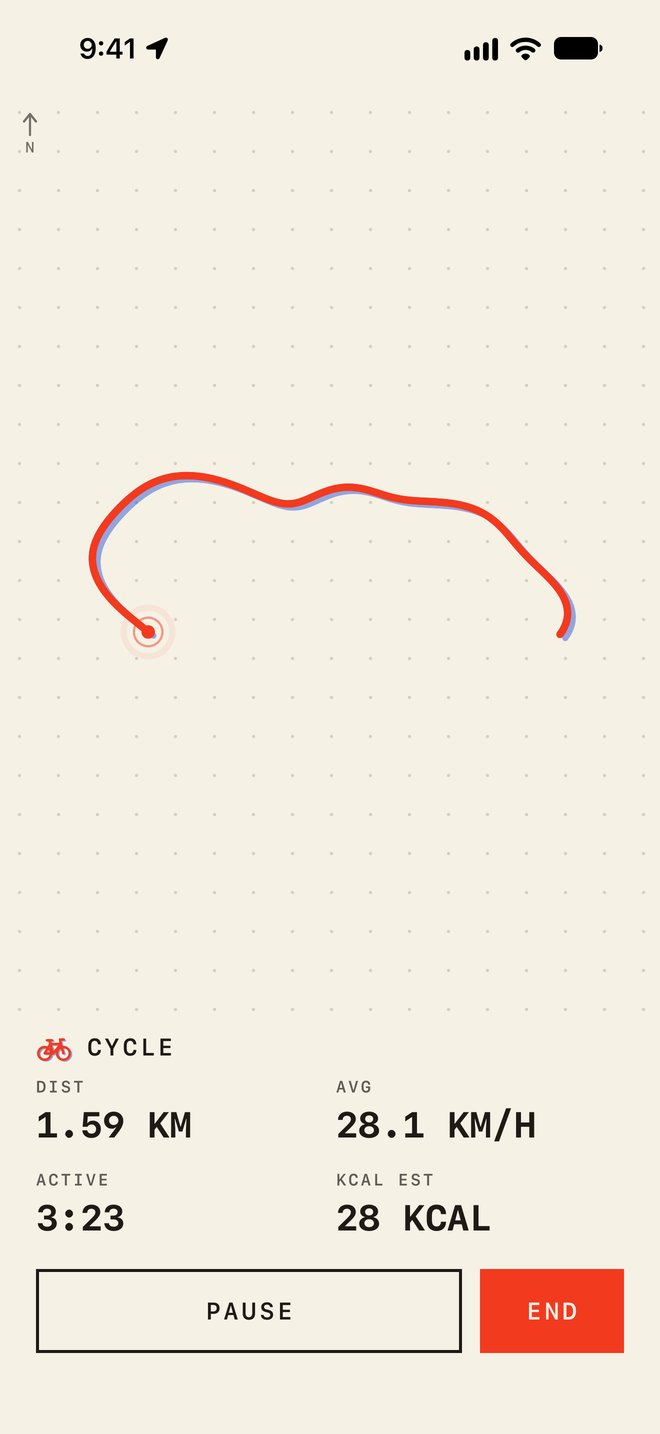
Record
Pick your activity and go. The line grows as you move, and it keeps recording with your phone locked in a pocket.
-
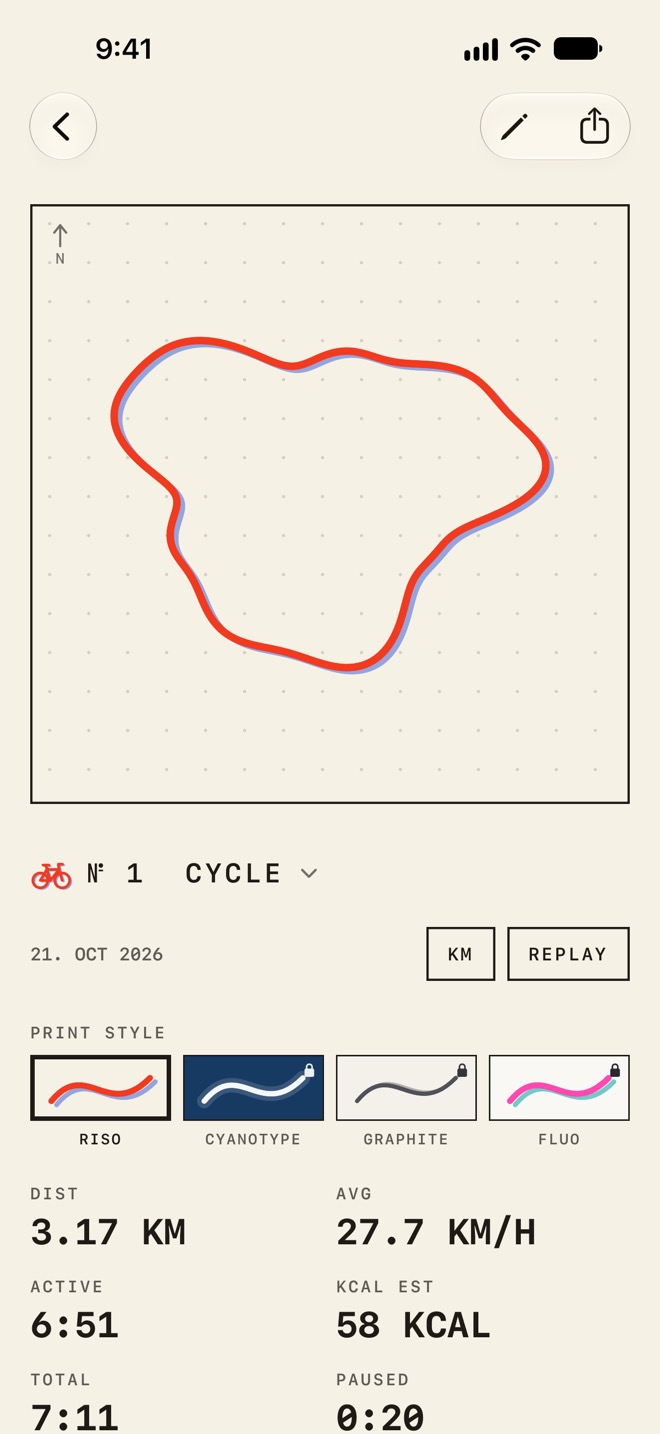
Print
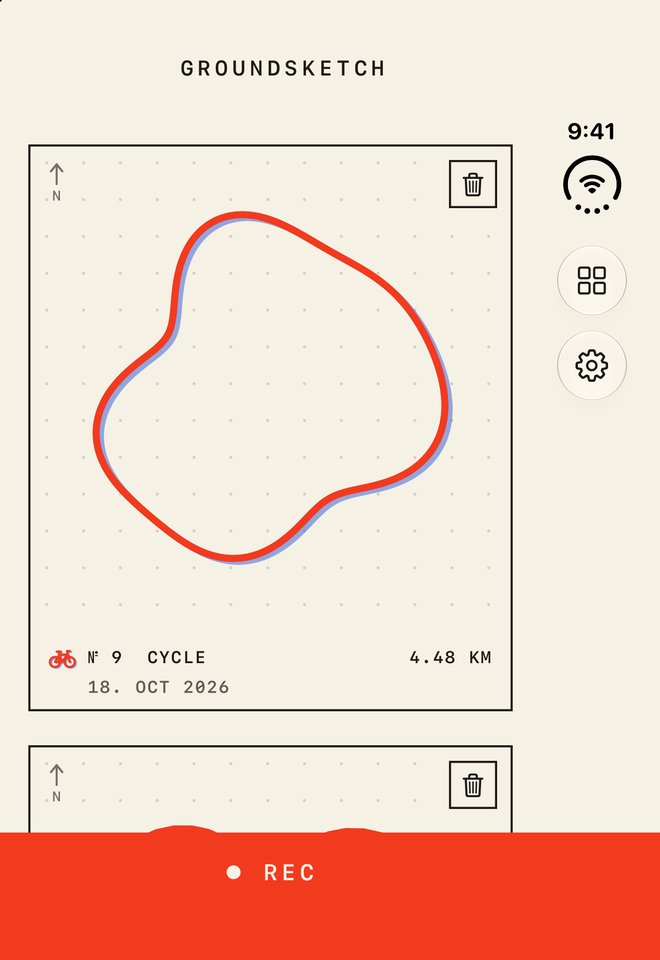
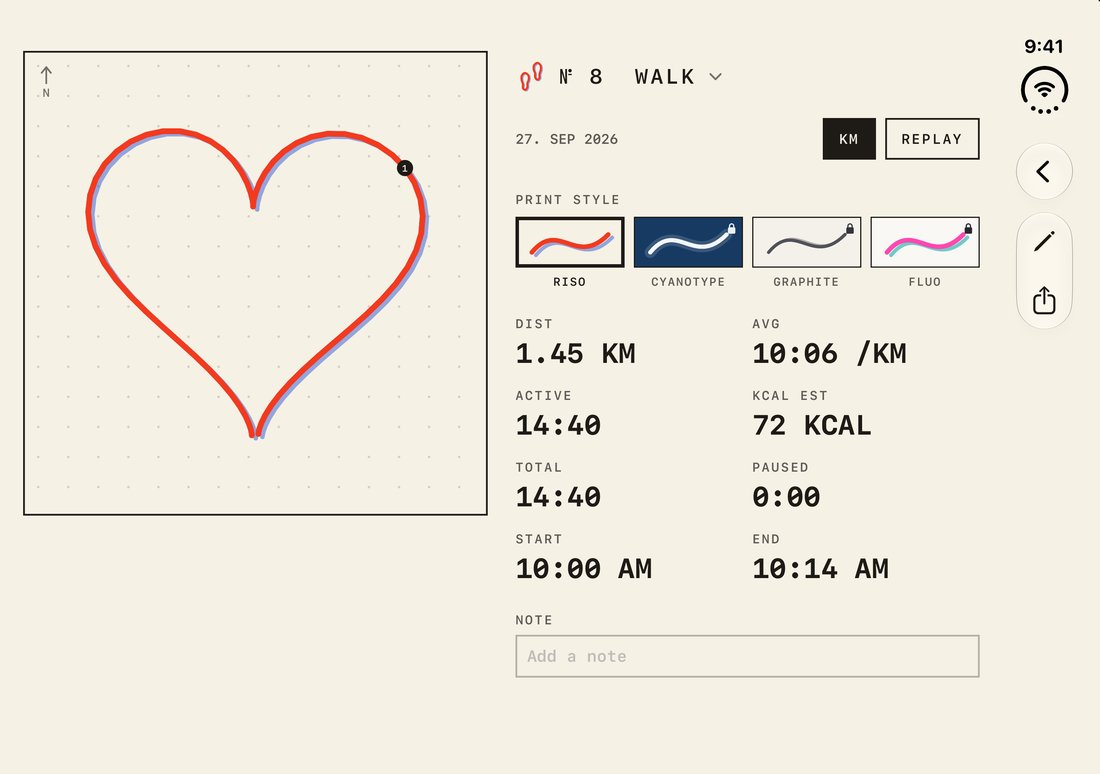
When you finish, the route becomes a print with the numbers that matter: distance, active time, average speed.
-
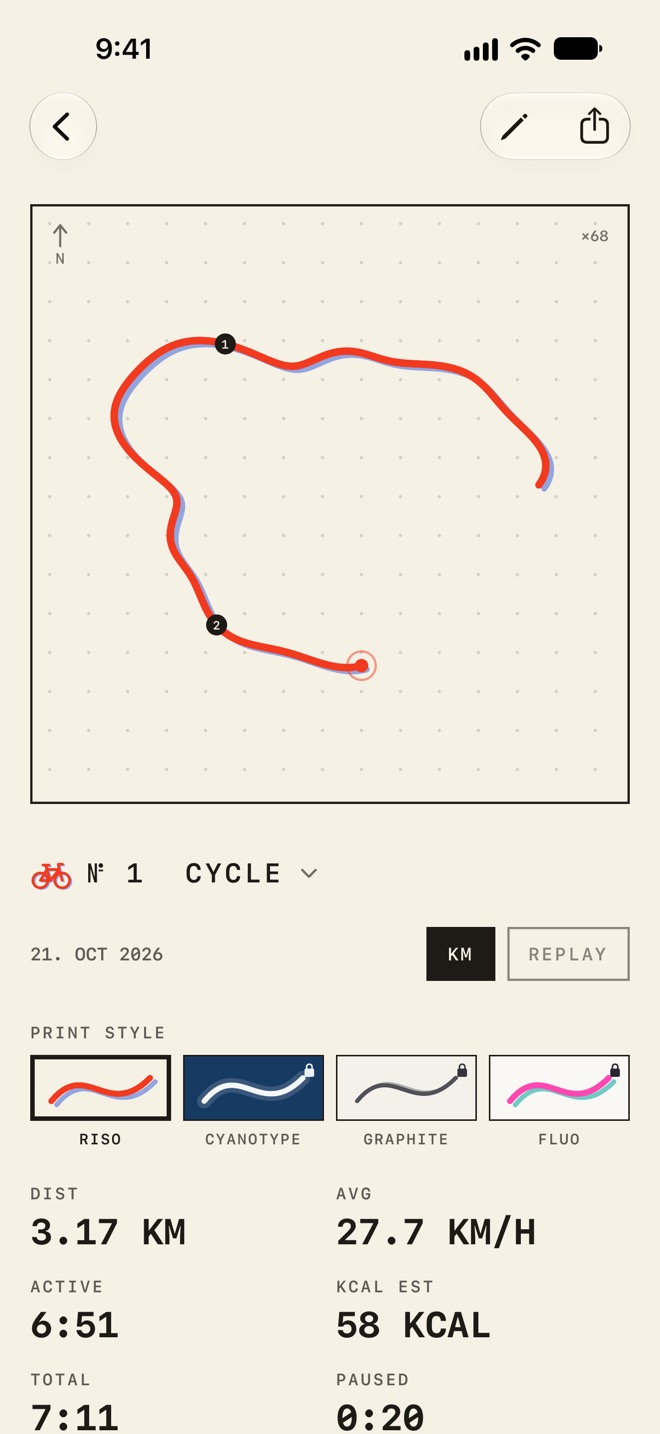
Replay and share
Watch the line draw itself at your own pace, then share the print as a sharp image or a short video.
Draw with your route
-
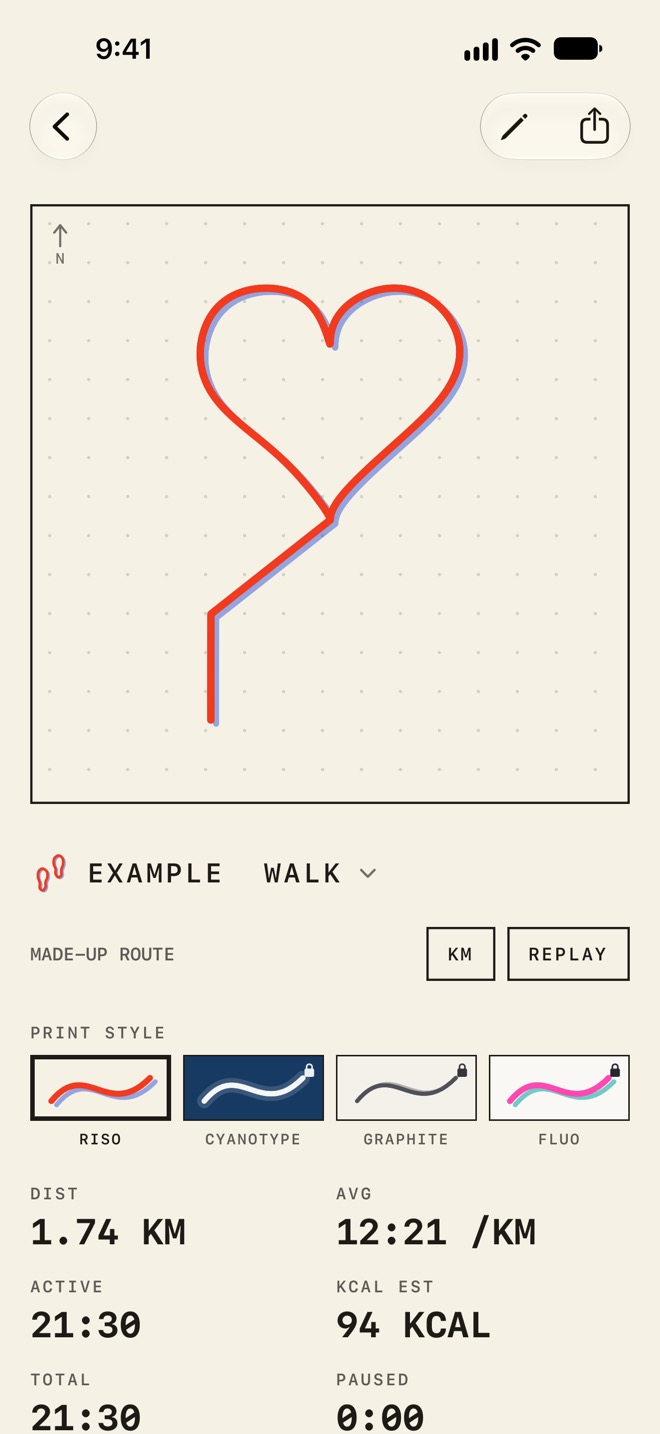
Walk a shape
Skate, ride or walk a heart, a letter or your name. At first the way there and back is part of the line.
-
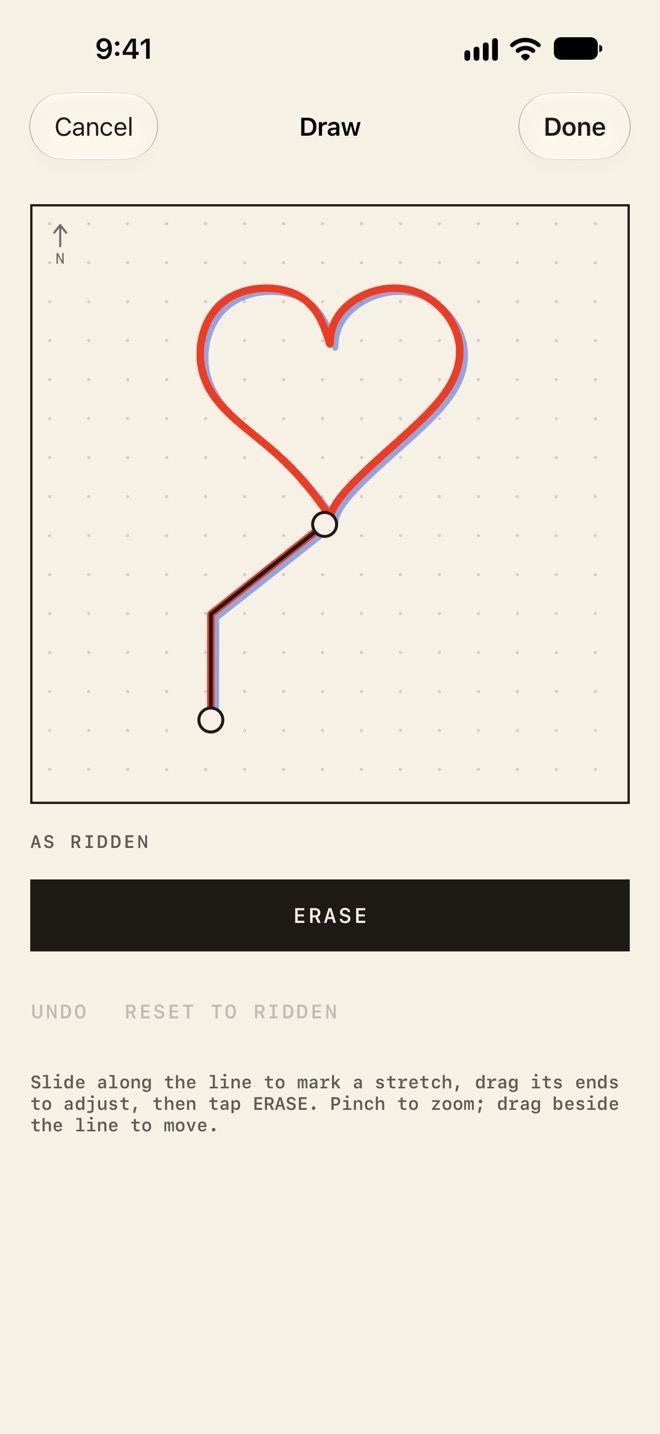
Mark and erase
Slide along the line to mark the way there or back, drag its ends to fine-tune, then tap ERASE. UNDO brings it back.
-
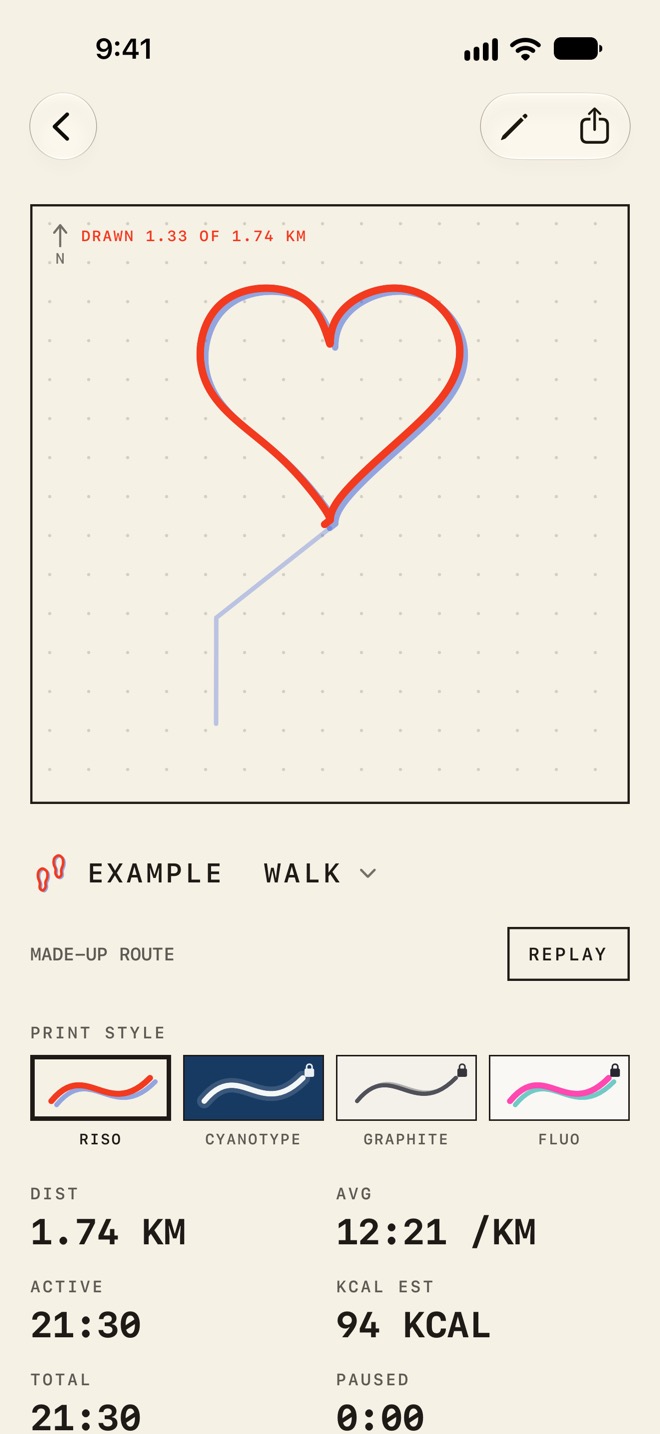
Keep the drawing
Erased parts stay faint in the app and are left out of what you share. A drawn print always says DRAWN, with how much of the route it shows.
On iPhone Duo
Small things done carefully
- Auto-pause
- Stand still for 15 seconds and the recording pauses; move on and it continues. Waiting at lights never lowers your average.
- Replay at your pace
- The replay is fast where you were fast and slow in the corners. Stops are skipped, and the corner shows how much faster than real life it runs.
- Distance marks, if you want them
- Tap KM to mark every kilometre on the line, or MI for every mile. Leave it off and the print stays a pure drawing.
- Apple Health, if you want it
- Finished sessions can go to the Apple Health app with their pauses, distance, calories and route. GroundSketch never reads your health data.

- Feels it in your pocket
- Your iPhone taps when you start, pause and finish, and buzzes when auto-pause starts or ends, even with the screen locked. Paused it yourself? Move on and it buzzes, so you don’t forget to resume. Rode on anyway? END offers to add that way to the print.
- Voice, if you want it
- Hear your distance, time and pace every 1, 2 or 5 kilometres or miles, and a reminder if you move on while paused, even with your phone locked. Music gets quieter while it speaks.
- Share as image or video
- Send a sharp square print, or a short video of the line drawing itself, to Instagram, Messages or anywhere else.
- Pro, bought once
- Three more print styles, posters to print at home or as a 10×15 photo (4×6 in), and the 9:16 story format. One in-app purchase, never a subscription; everything above stays free.
Your routes stay on your iPhone.
- No account, no server, no ads and no analytics.
- Location is used only while you record.
- Shared prints and videos show the drawing and your stats, never coordinates, street names or where you started.